 Dandelion Creations
BudgetAbility
Know where your money goes, in any currency.
Accounts, spending, bills, budgets, savings goals, debt and insurance in one place. It lives in your own Google Sheet and works in rand, dollars, euros or whatever you use.
One payment. No subscription. 72 hour demo included. Make your own copy of the demo sheet, then start the 72 hour demo with the key BDG-DEMO-2026.
Best for households and individuals who want one clear view of their money. For business invoicing, see PayAbility.
Money in five places is hard to see.
A bank app here, a spreadsheet there, and a pile of renewals in your head. BudgetAbility puts it on one screen that you set up once and keep.
Owned, not rented
No monthly fee and no per-user pricing. It runs in your own Google account, so it keeps working.
Your numbers stay yours
Everything is stored in your own spreadsheet. We never see your accounts or what you spend.
Made for more than one currency
Keep a rand account next to a dollar account. Each one is totalled on its own, and you choose when to combine them.
How it works
From ordering to your first month tracked in three steps.
Get your sheet and key
Order and we email you the sheet link and your activation key.
Deploy it once
A short guide walks you through the setup. Then pick your home currency and add your accounts.
Add as you go
Bookmark one private link. Add a payment in a few taps, or plan the month's bills in one click.
Add transactions yourself, or download a CSV statement from your bank and import a whole month at once. BudgetAbility does not connect to your bank, so nobody can see your login. Exchange rates are the ones you enter yourself.
What is inside
Everything a household needs to see the whole picture.
- Accounts and net worthBank, savings, cash, cards and loans. Balances follow your transactions, and cards show as money owed.
- TransactionsSpending, income and transfers with search, filters by month, account and category, and a duplicate warning.
- Any currencyEvery account has its own currency. Dollars stay dollars. Switch between one currency or all of them converted to your home currency.
- Your own exchange ratesType the rate you want to use. A currency with no rate is left out of the combined total and named, so nothing is guessed.
- Bills and a payments calendarAdd rent, school fees and insurance once. Plan a whole month in one click and see what is due, paid or overdue.
- Budgets and a monthly reviewSet a limit per category and see where you stand. The review compares this month with last month in plain words.
- Savings goals and sinking fundsSee progress, and how much to put away each month to reach the date you set.
- Debt payoff planPick highest interest first or smallest balance first. See your debt free date and what extra payments save.
- SubscriptionsEverything that renews, its monthly cost, and a heads up before it does.
- InsurancePolicies, premiums, cover and renewal dates in one list.
- Bank statement importDownload a CSV from FNB, Capitec, Standard Bank, ABSA or most other banks. Check the rows, fix a category, and import a month in one go. Duplicates are skipped.
- Reports and CSV exportIncome and spending by month, top categories and merchants. Download your transactions to share with an accountant.
- Private by designA long private key on your link, and a lockout after repeated wrong guesses.
See it in action
The screens you use every week. Real screenshots of the app.
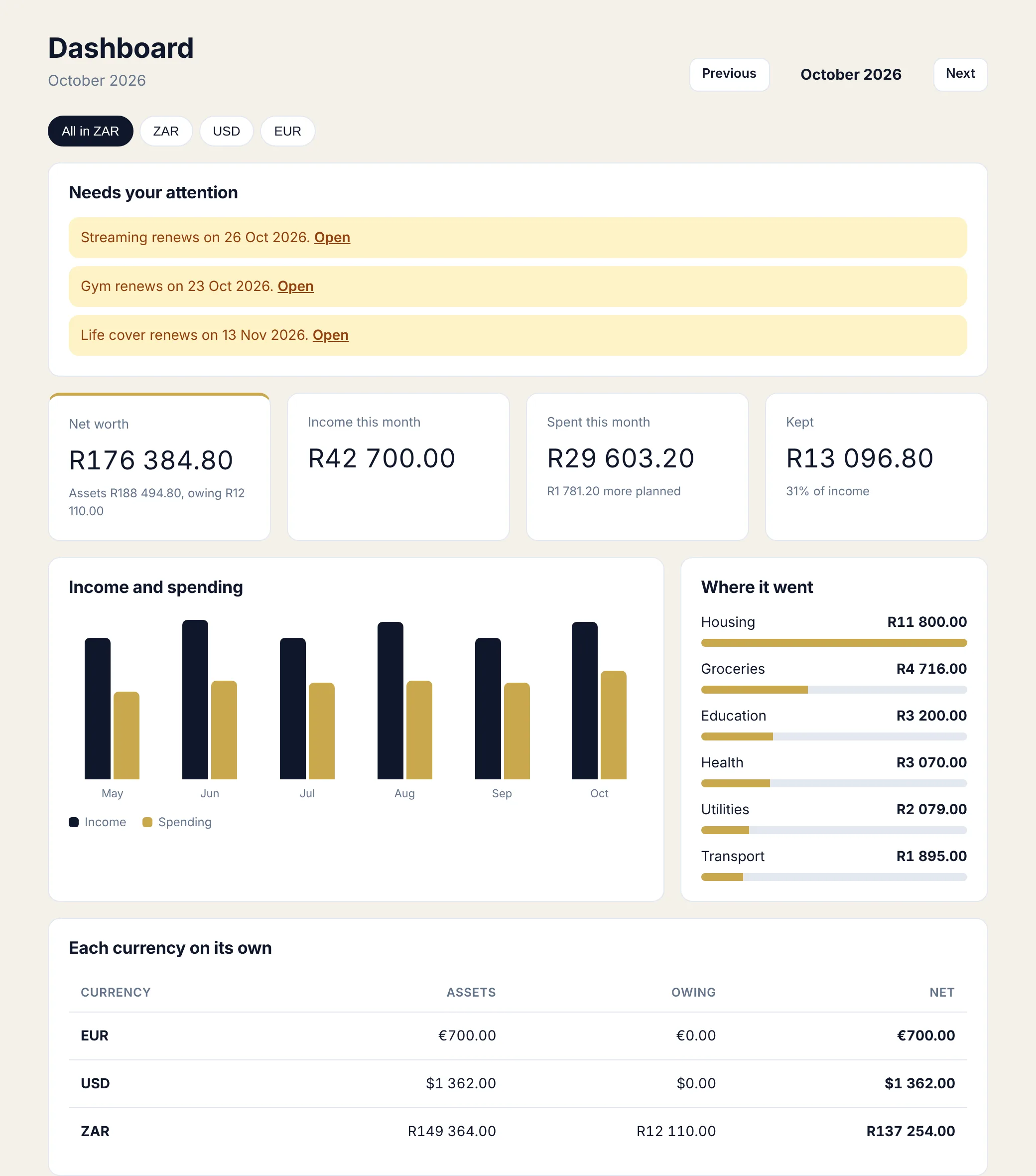
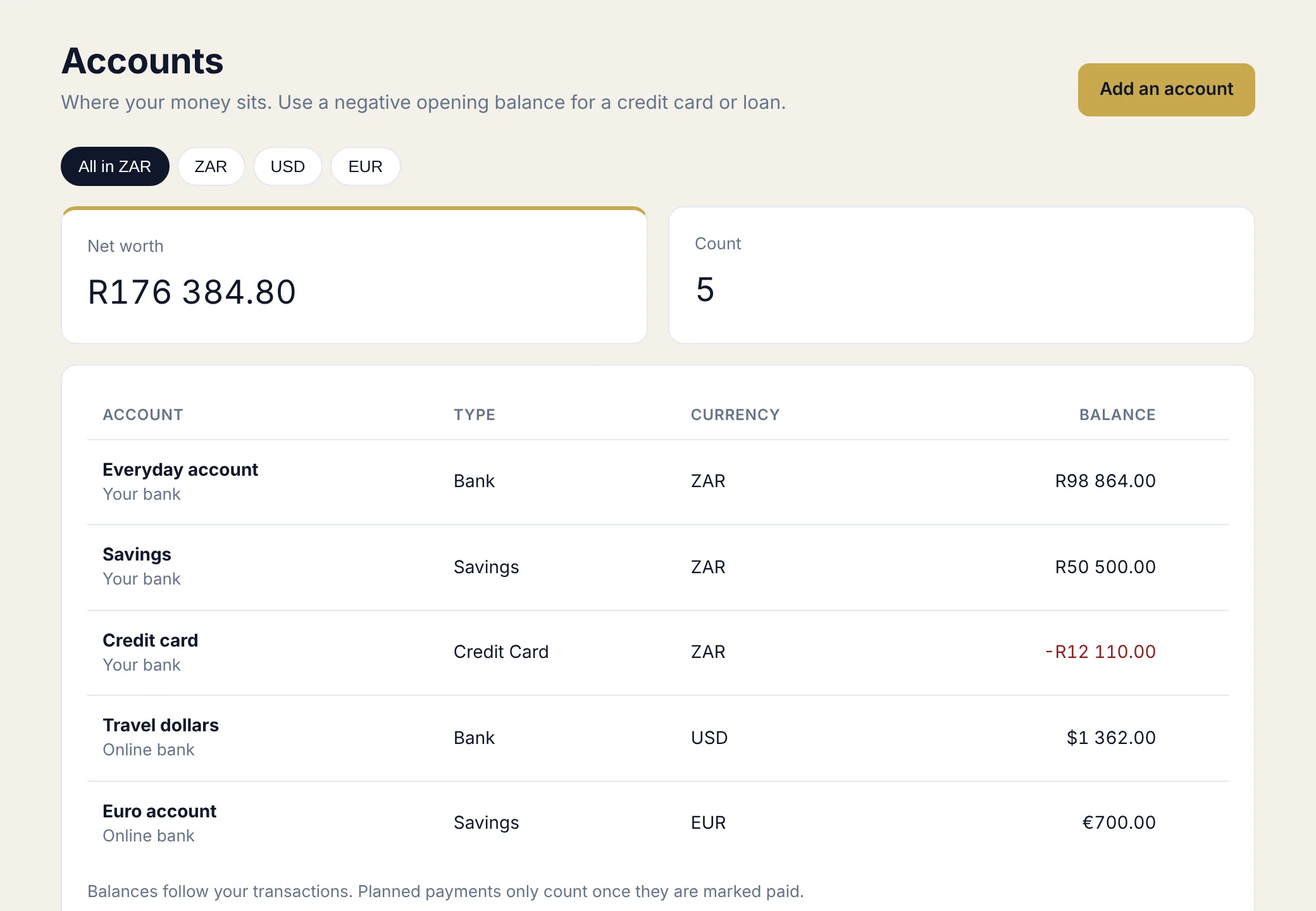
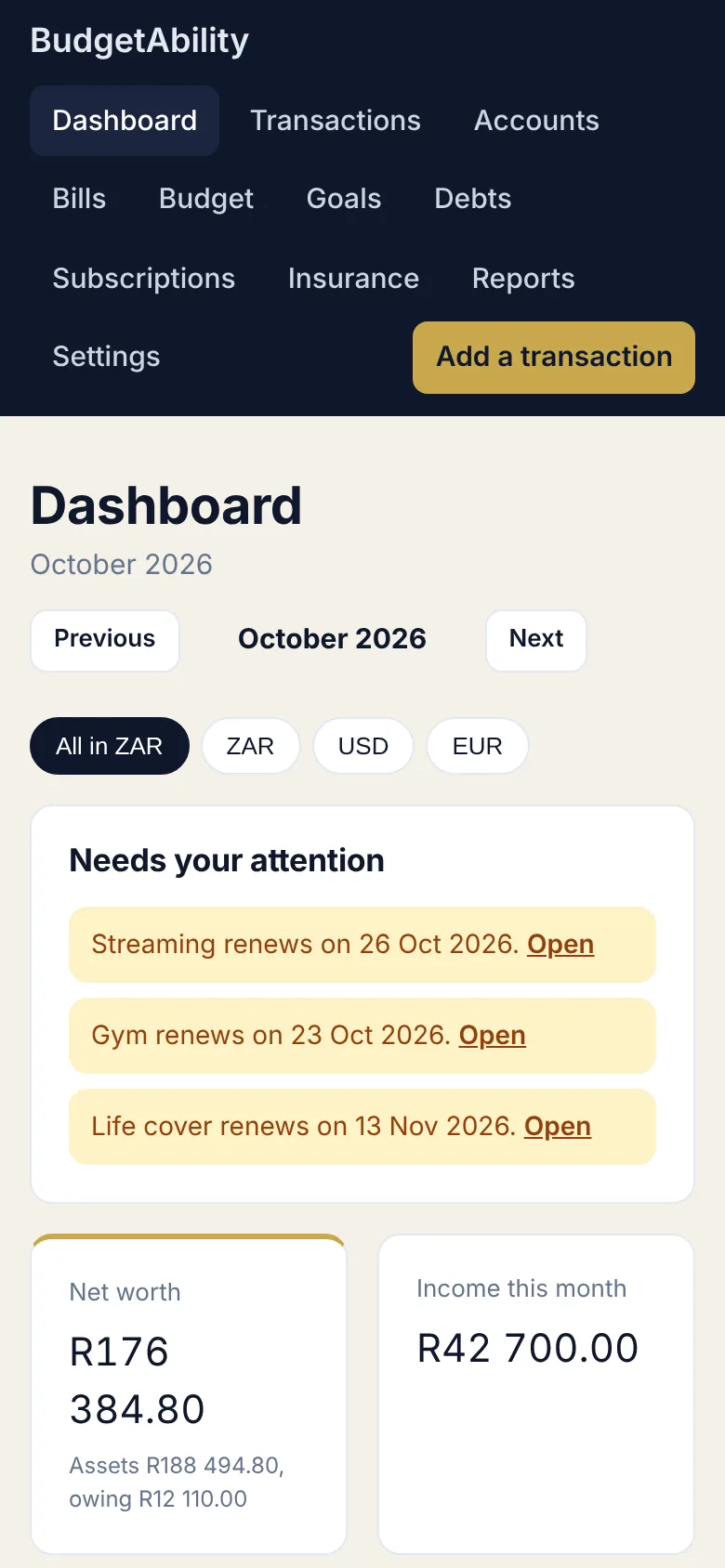
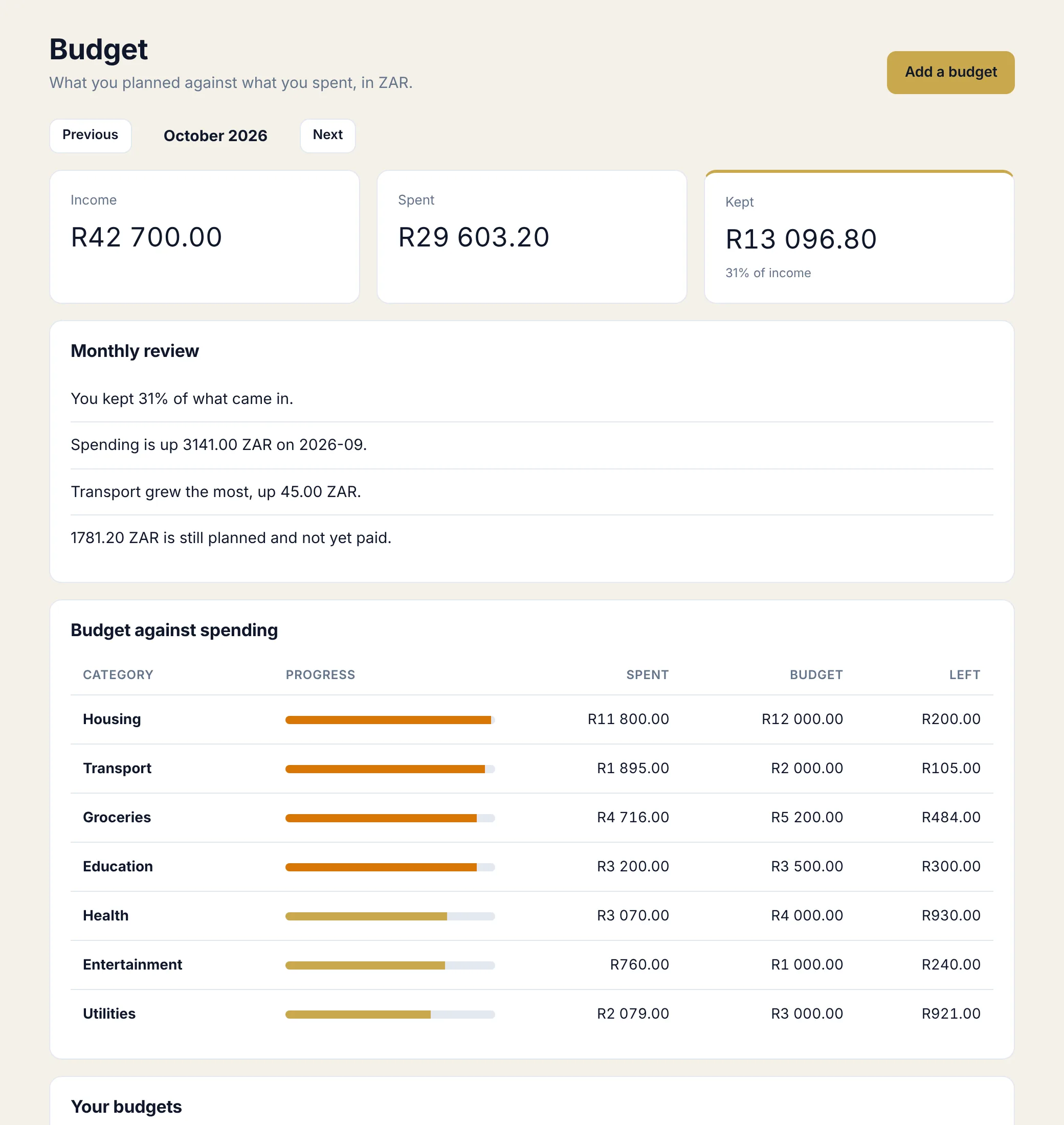
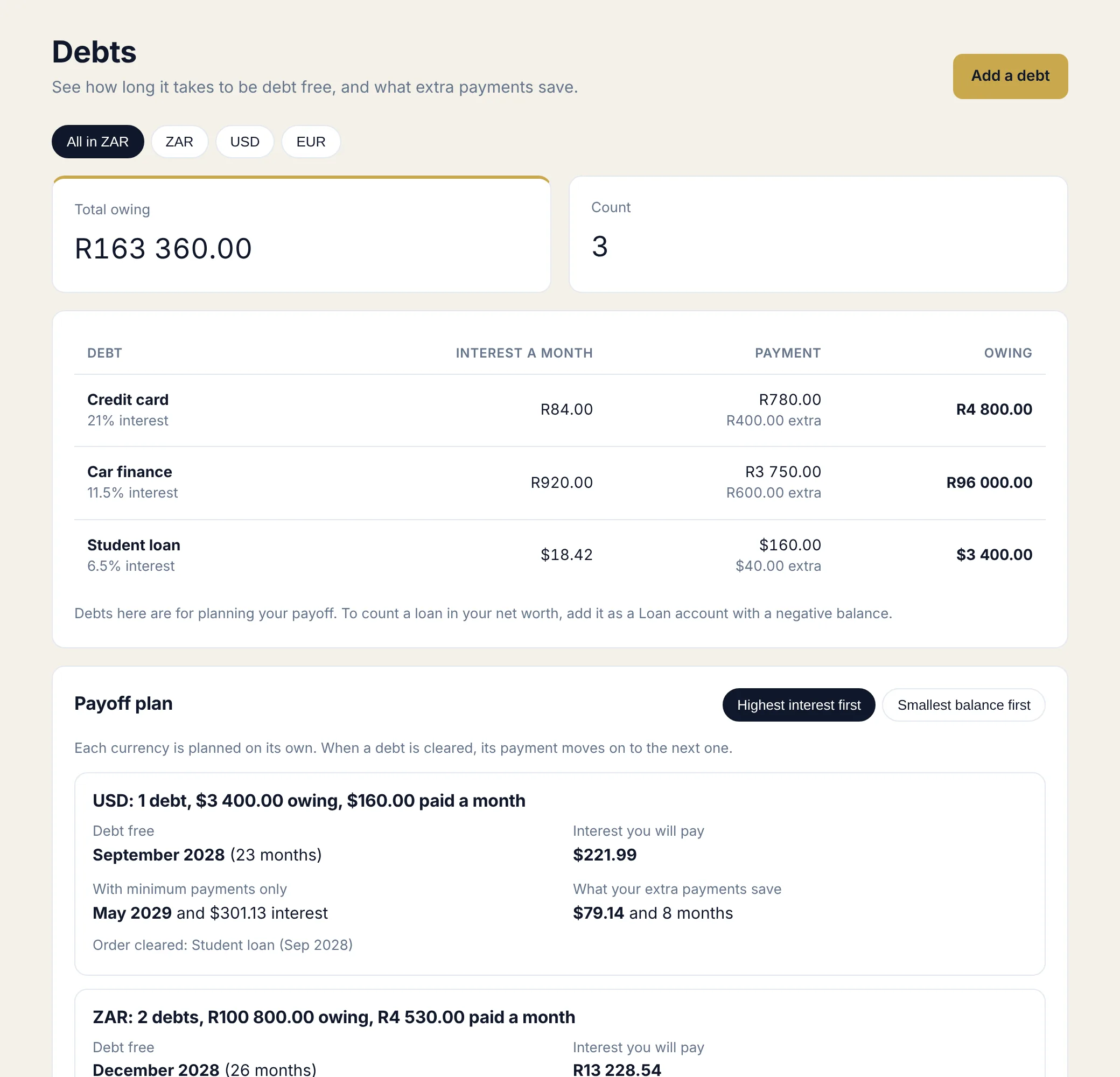
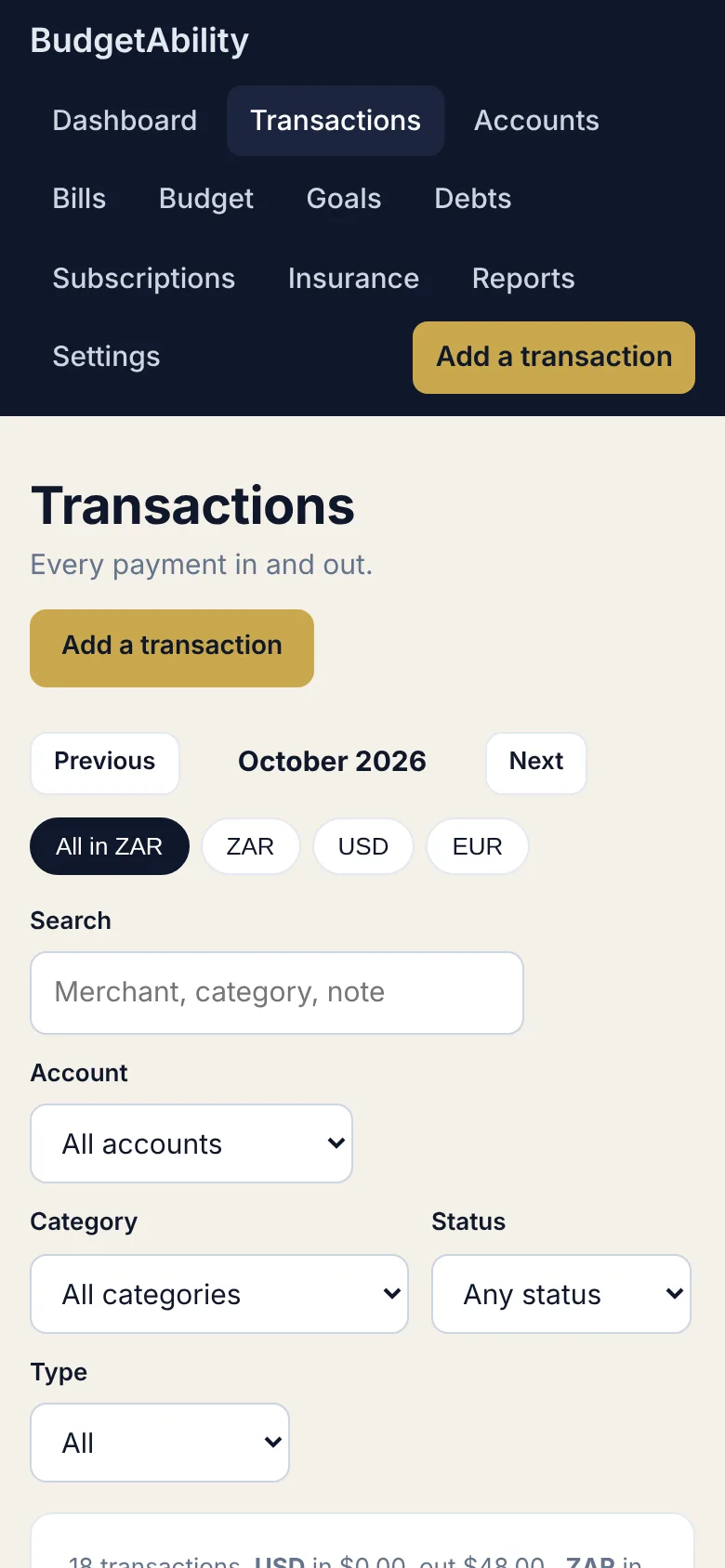
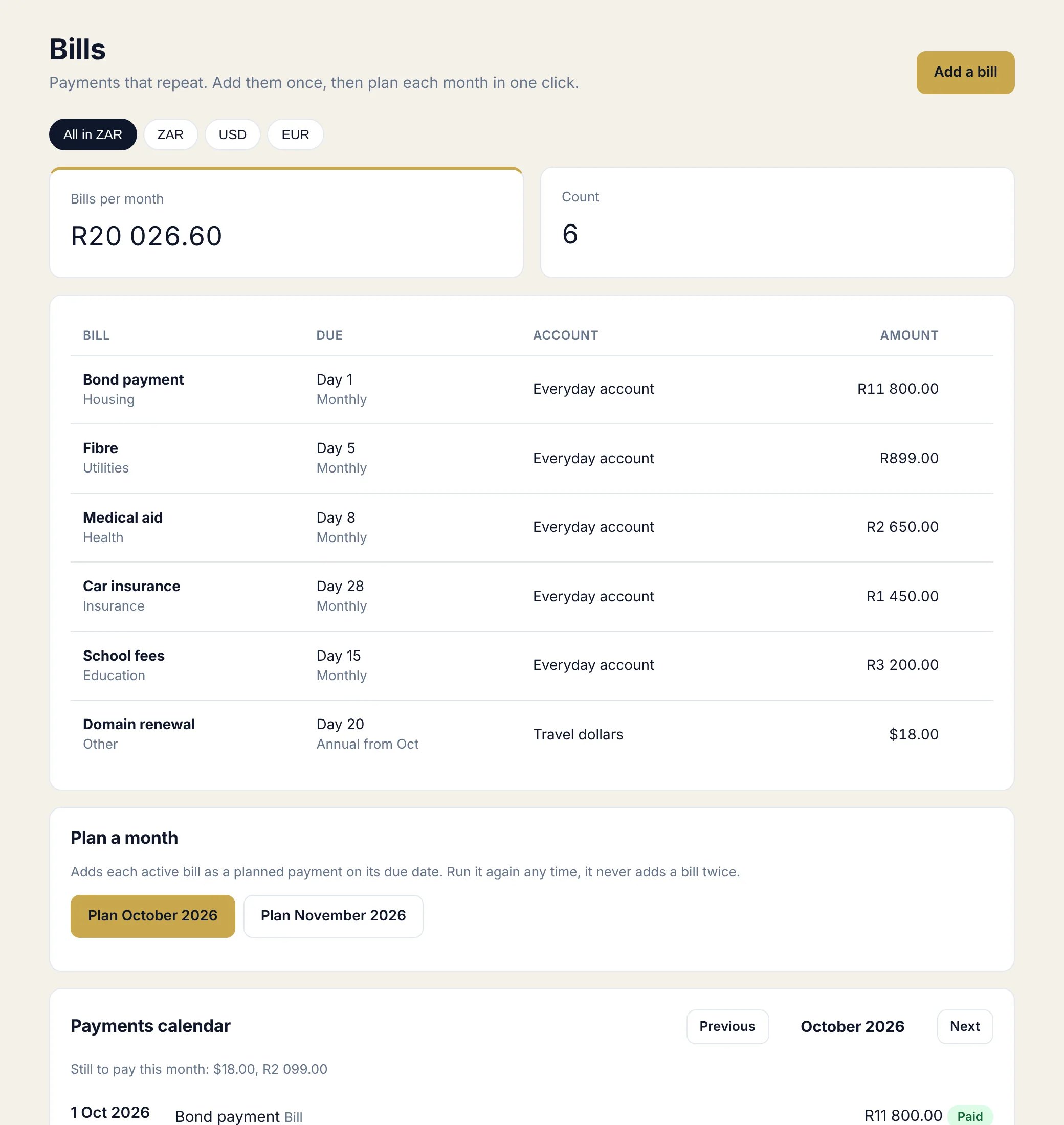
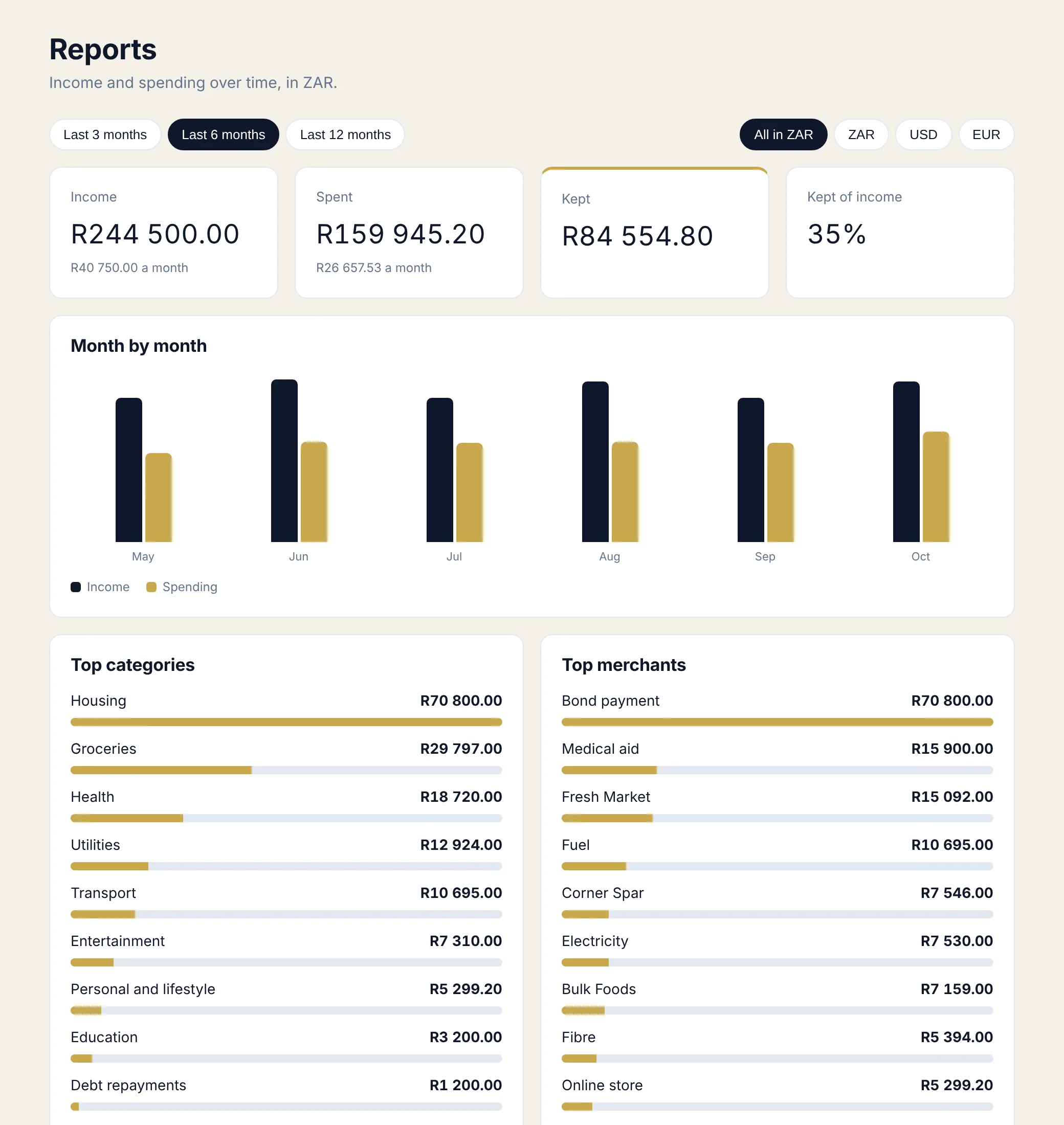
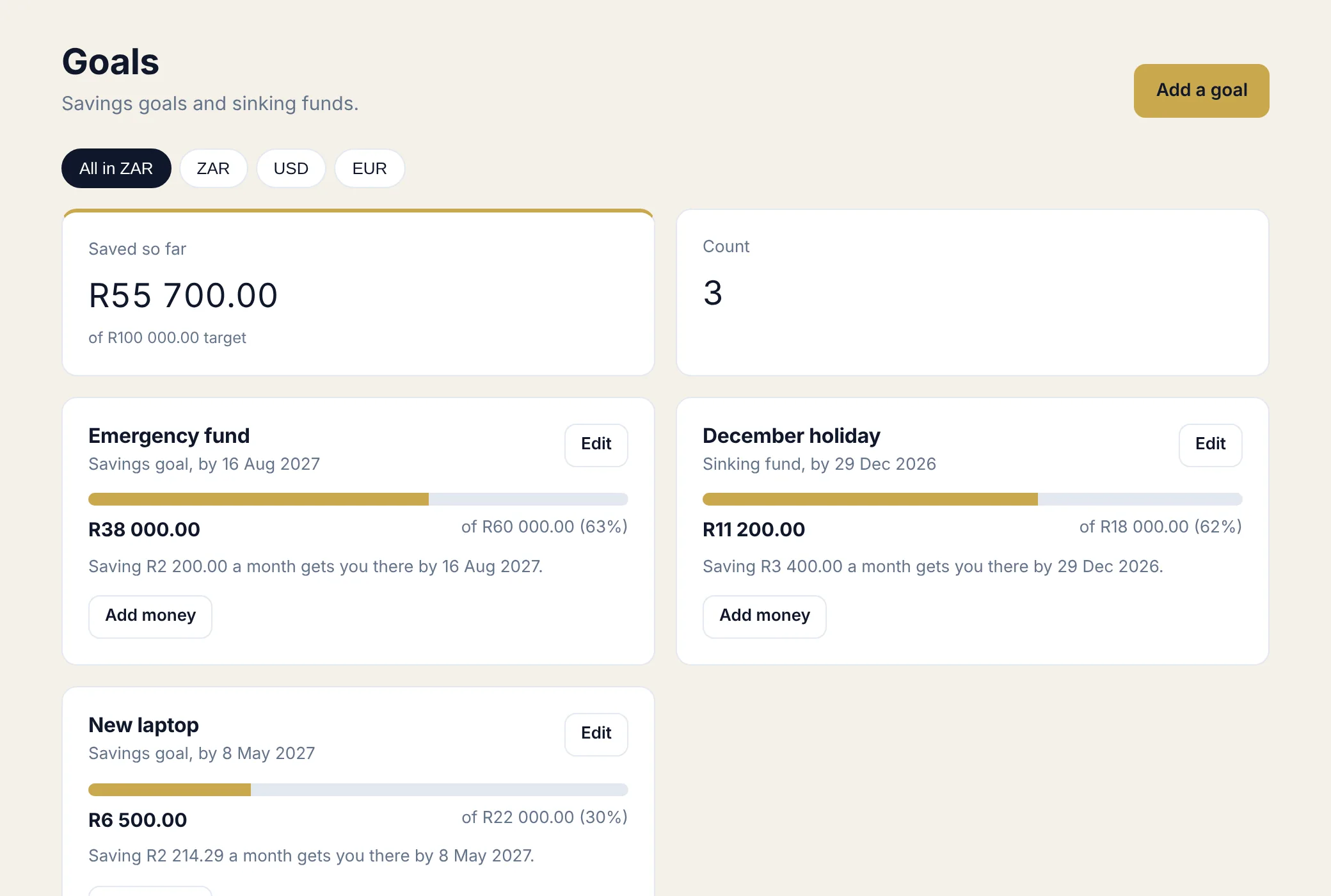
Screens show sample data.
Pay once, keep it
No monthly fee, no renewal.
BudgetAbility
- BudgetAbility sheet and activation key
- Step by step deploy guide
- 72 hour demo before you commit
- Works in any currency
Running a business too? PayAbility handles invoices and ReceiptSnap handles receipts.
Questions
Short answers.
Do I need to know how to code?
No. Deploying is a handful of clicks and the guide shows each one.
Is there a monthly fee?
No. You pay once and it runs in your own Google account.
Does it connect to my bank?
No. Nothing connects to your bank, so your login details are never involved. You can add transactions in a few taps, or download a CSV statement from your bank and import it. You see every row first, and rows you already have are skipped.
Can I use it outside South Africa?
Yes. Choose any home currency and give each account its own. Dollars, euros, pounds and other currencies all work.
How does it handle more than one currency?
Each account has one currency and its transactions follow it. You can look at one currency at a time, or combine them into your home currency using the exchange rates you type in. It does not look rates up for you.
Where is my data stored?
In your own Google Sheet. We never see it.
Does it work on my phone?
Yes. Open your private link in your phone browser and add it to your home screen. You need a connection to save changes.
Is this financial advice?
No. It is a record keeping and planning tool. The debt plan is a projection from the numbers you enter, so check big decisions with a qualified adviser.
Can I try it first?
Yes. BudgetAbility includes a 72 hour demo with every feature, and a button that loads a sample household so you can look around. The demo can be started once on each sheet.
See the whole picture, in one place.
Set BudgetAbility up once and keep your household money in a system you own.
Get BudgetAbility, R499