 Dandelion Creations
ReceiptSnap
Snap the receipt. Skip the typing.
Take a photo and ReceiptSnap reads the vendor, date, amount and VAT. The photo goes into your own Google Drive and the details into your own Google Sheet. At month end, export a clean CSV for your bookkeeper.
One payment. No subscription. 72 hour demo included. Make your own copy of the demo sheet, then start the 72 hour demo with the key RSP-DEMO-2026.
Best for owners who keep losing receipts and want them ready for the bookkeeper. It is not an accounting package.
Receipts end up in the glovebox.
Then comes month end, and someone has to type them all in. ReceiptSnap is a small tool you set up once. You photograph the receipt when you get it and it is done.
Owned, not rented
No monthly fee and no per-user pricing. It runs in your own Google account, so it keeps working.
Your receipts stay yours
Details live in your own spreadsheet and photos in a private folder in your Drive. We never see them.
Made for a phone
Open your private link on your phone, tap Take a photo, and carry on with your day.
How it works
From ordering to your first receipt in three steps.
Get your sheet and key
Order and we email you the sheet link and your activation key.
Deploy it once
A short guide walks you through the setup, then you paste in your free Groq key so receipts can be read.
Snap your receipts
Bookmark one private link. Take a photo, check what was read, and move on.
The reading is done by AI through your own free Groq account, so there is no per receipt fee from us. AI can get a date or an amount wrong, so every receipt is saved as Pending until you have had a look.
What is inside
Everything between the photo and your bookkeeper.
- Camera or galleryTake a photo, pick several from your gallery, or add a PDF. Photos are shrunk on your phone before they are sent.
- AI readingVendor, date, total, VAT, currency and a short description are filled in for you.
- Your own categoriesFuel, stationery, software or whatever you use. The AI picks from your list.
- Needs checkingReceipts the AI was unsure about are flagged, so you know which ones to look at first.
- Duplicate warningThe same vendor, date and amount twice gets flagged before it is counted twice.
- Review and approveMove receipts from Pending to Reviewed to Approved, one at a time or in bulk.
- Photo beside the formOpen a receipt and see the photo next to the details. Fix anything and save.
- More than one currencyRand, dollar, euro and pound are totalled separately, never mixed together.
- CSV exportPick the dates, status and category. See totals by category and currency, then download the file.
- Email your bookkeeperOne button opens your email with the subject and totals filled in. You attach the CSV.
- Add by handNo photo? Type the receipt in. VAT can be worked out from the total.
- Private by designA long private key on your link, and a lockout after repeated wrong guesses.
See it in action
The screens you use every week. Real screenshots of the app.
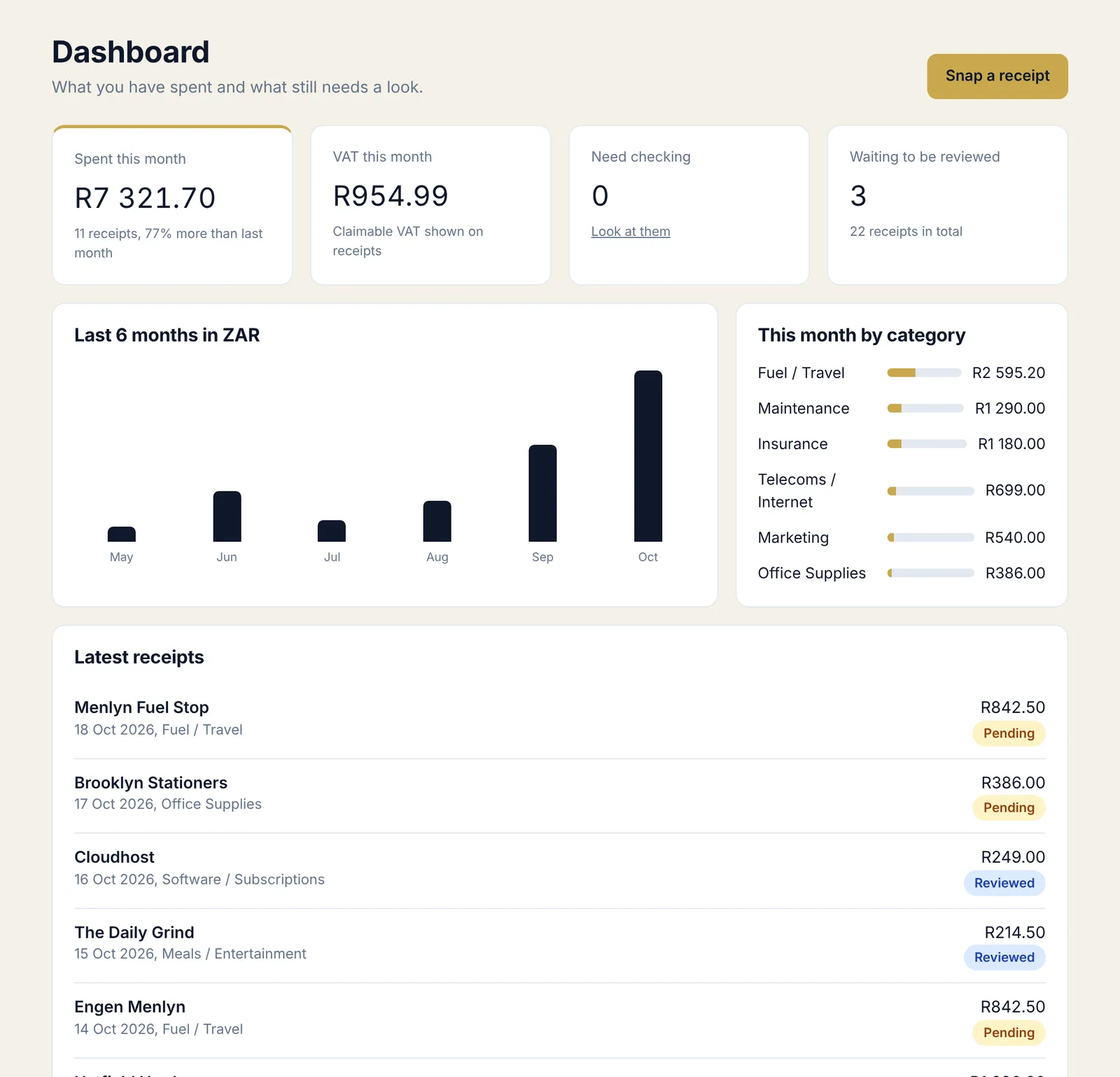
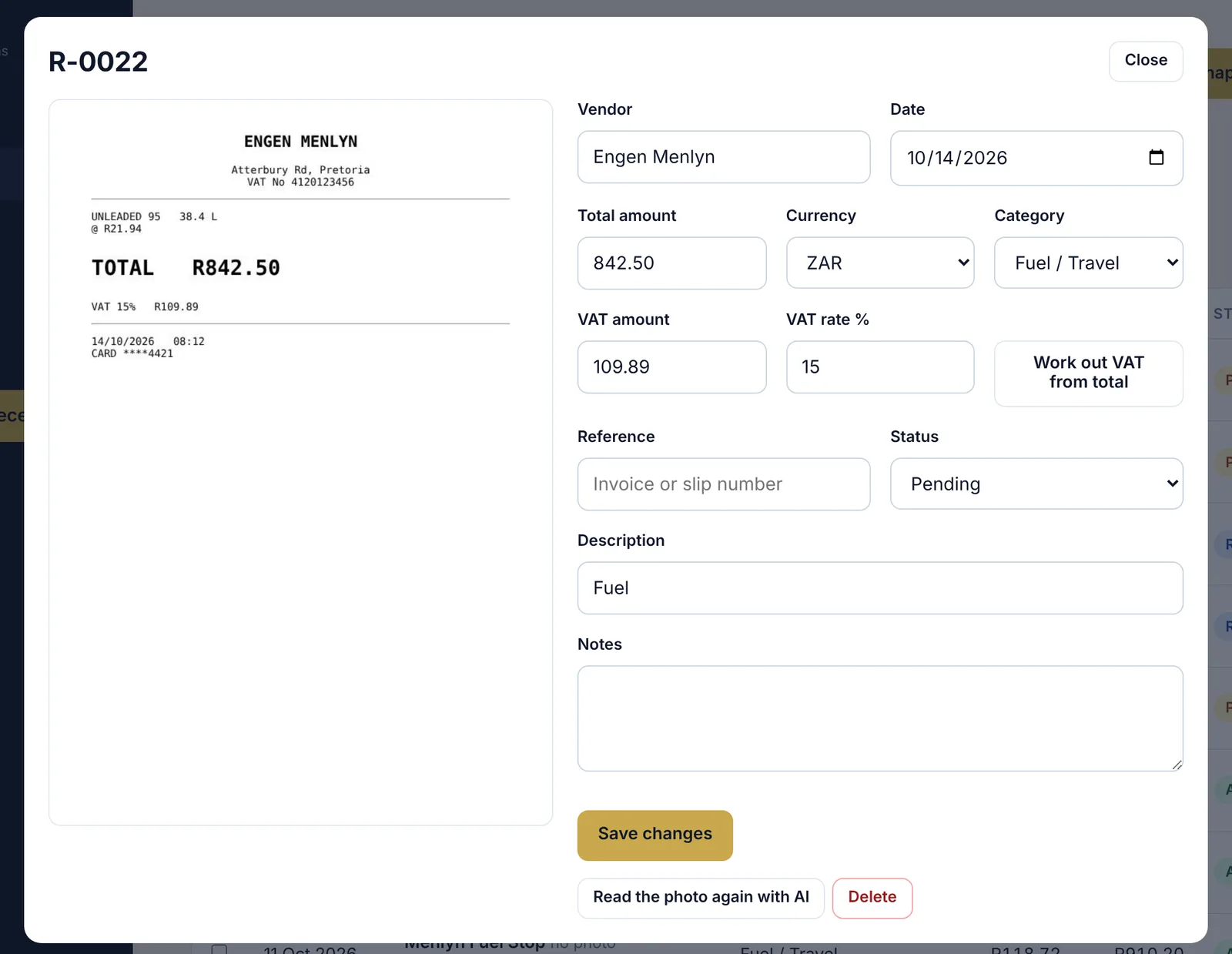
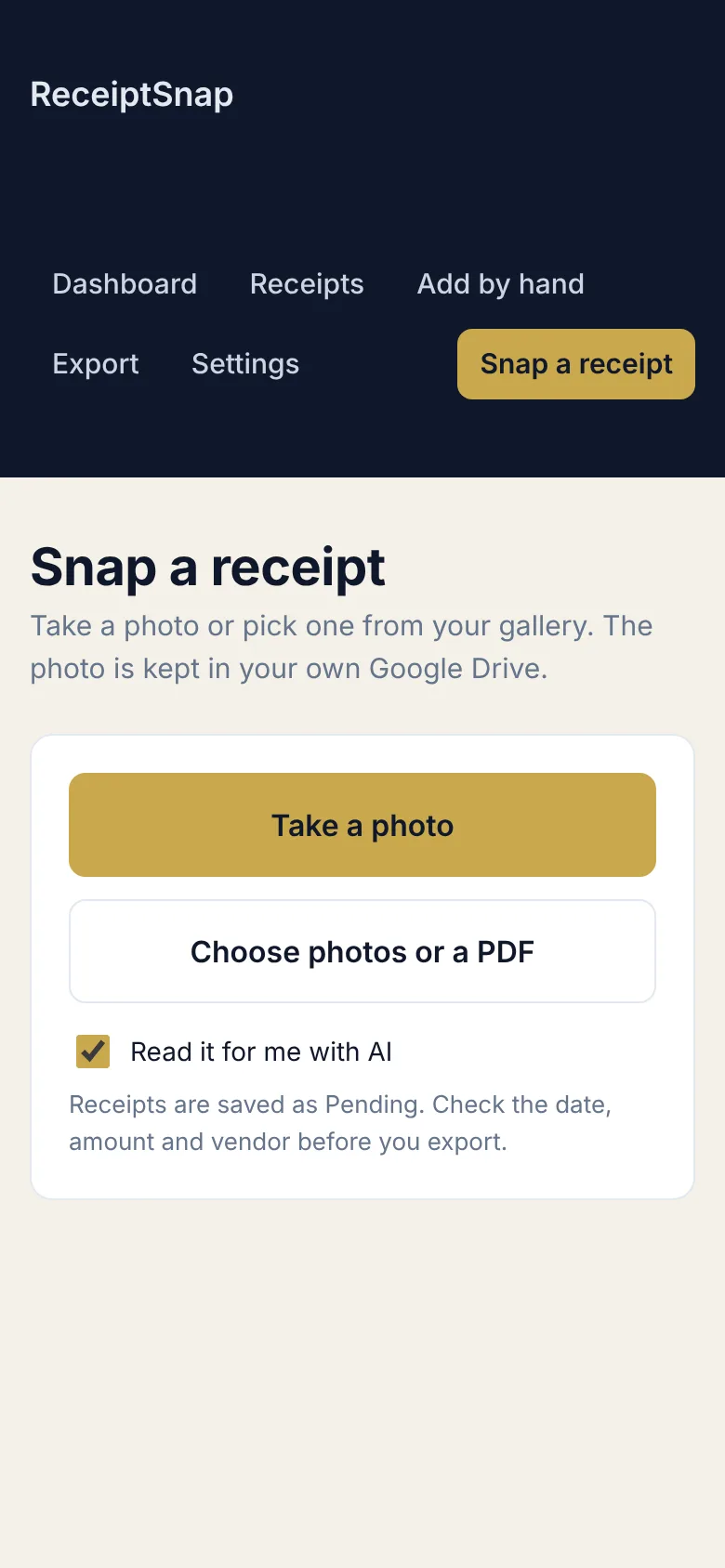
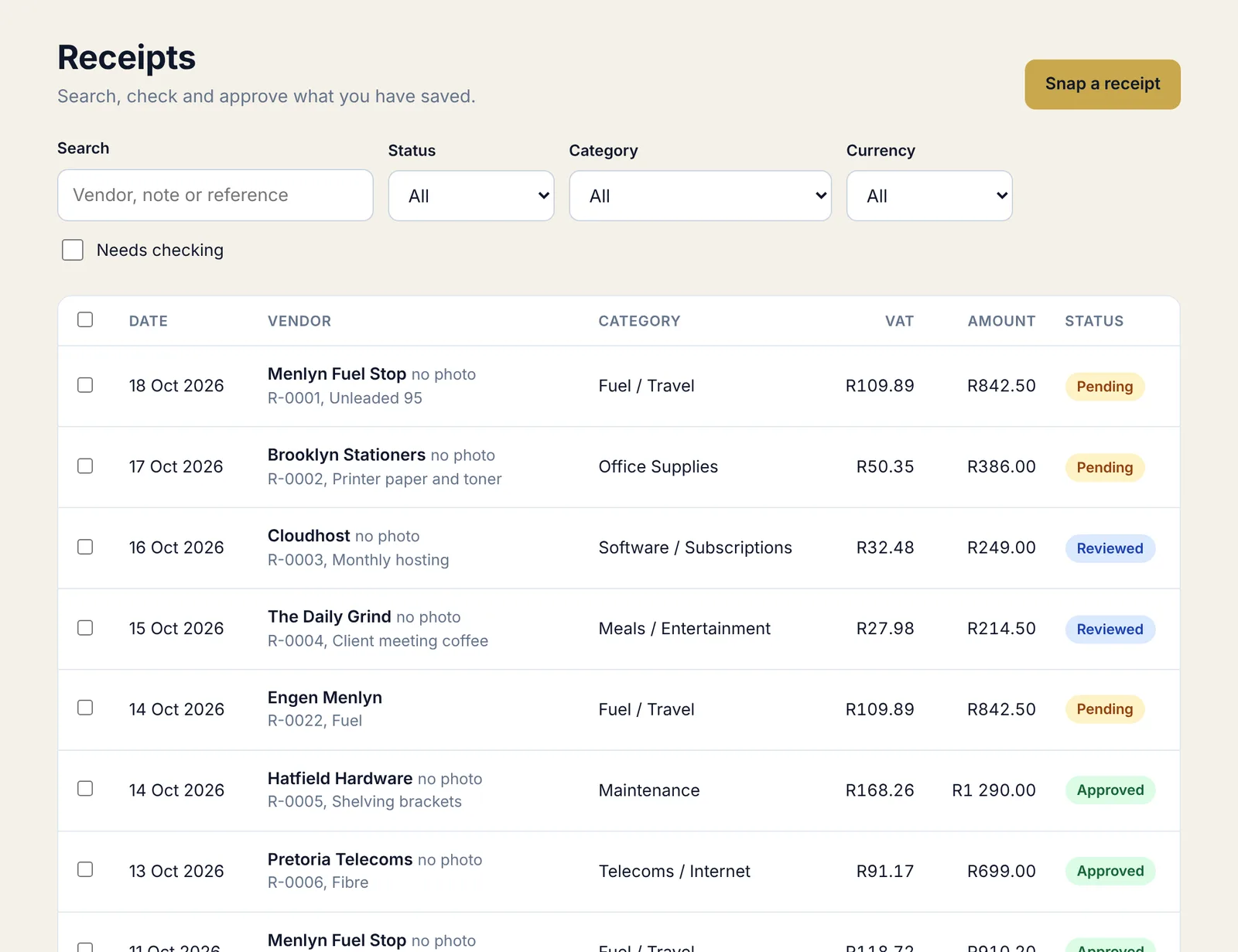
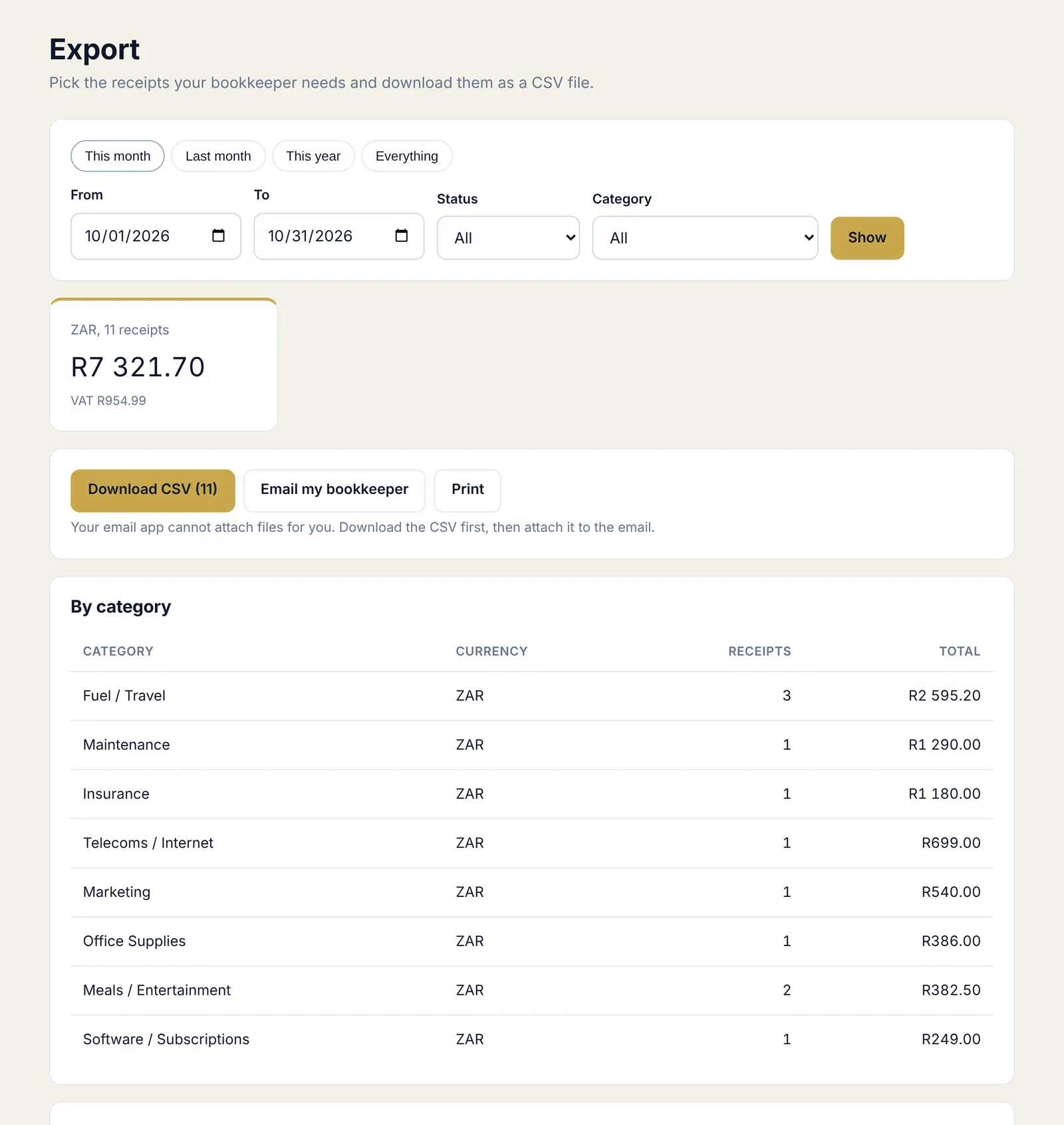
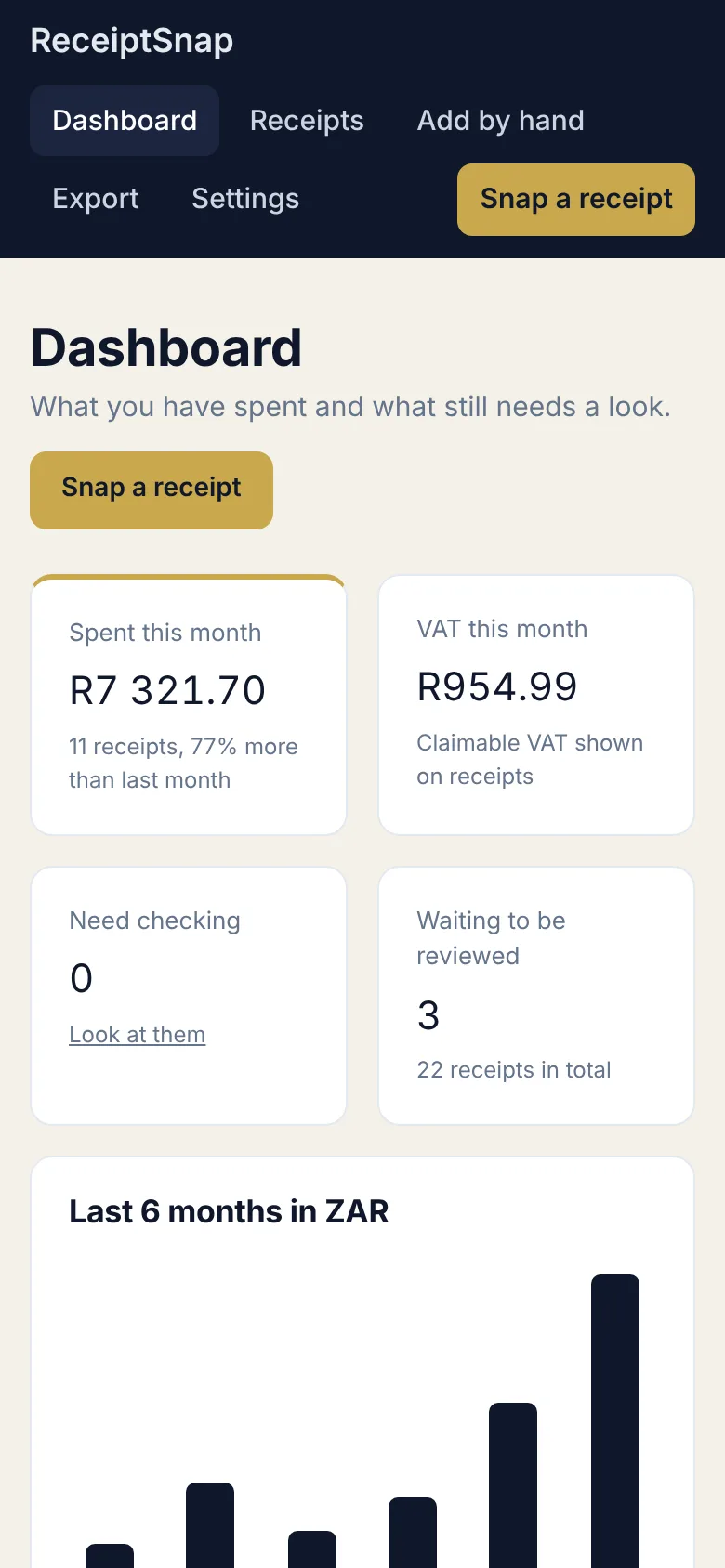
Screens show sample data.
Pay once, keep it
No monthly fee, no renewal.
ReceiptSnap
- ReceiptSnap sheet and activation key
- Step by step deploy guide
- 72 hour demo before you commit
- Needs your own free Groq account for the AI reading
Sending invoices too? PayAbility handles what comes in, ReceiptSnap handles what goes out.
Questions
Short answers.
Do I need to know how to code?
No. Deploying is a handful of clicks and the guide shows each one.
Is there a monthly fee?
No. You pay once. The AI reading uses your own Groq account, which has a free plan.
What is Groq?
It is the service that runs the AI. You sign up for free, copy a key and paste it into ReceiptSnap. The key stays in your own Google script and is never shown in full again.
How accurate is the reading?
Usually good on clear photos, but it can get a date or amount wrong. That is why every receipt is saved as Pending and unsure ones are flagged. You check before anything is exported.
Can I use it without the AI?
Yes. You can save photos and type the details in, or add receipts by hand.
Where are my photos and data stored?
Details are in your own Google Sheet and photos are in a private folder in your own Google Drive. We never see them.
Does it work on my phone?
Yes. Open your private link in your phone browser and tap Take a photo. You need a connection to save a receipt.
What about VAT?
It records the VAT shown on each receipt and totals it for you. It is a record keeping tool, so check your figures with your accountant or bookkeeper.
Can I try it first?
Yes. ReceiptSnap includes a 72 hour demo with every feature. It can be started once on each sheet.
Stop typing receipts in at month end.
Set ReceiptSnap up once and keep your receipts in a system you own.
Get ReceiptSnap, R299