 Dandelion Creations
Visibility
Your AI creates. Visibility organises.
ChatGPT, Claude or Gemini writes your posts. Visibility keeps them in one calendar in your own Google Sheet, checks they are ready, lets your client approve them from a link, and opens your accounts when it is time to post.
One payment. No subscription. 72 hour demo included. Make your own copy of the demo sheet, then start the 72 hour demo with the key CNT-DEMO-2026.
Best for small businesses and anyone who posts for clients, and already uses an AI to write. It does not write posts itself and it does not post for you.
The posts are written. Now they are scattered.
Half in a chat history, a few in a notes app, the image text in a message to yourself. Nobody knows what is going out on Thursday. Visibility gives all of it one home.
Owned, not rented
No monthly fee and no per-user pricing. It runs in your own Google account, so it keeps working.
Your content stays yours
Every post sits in your own spreadsheet. We never see your captions, your clients or your numbers.
Works with any AI
Use ChatGPT, Claude, Gemini or whatever you already like. Visibility builds the prompts and takes the answers.
How it works
From an empty calendar to a month of posts.
Ask your AI
Answer a few questions about your business once. Visibility turns them into a ready prompt that you paste into your AI.
Bring it back
Paste one post, or import a whole month as a file. Captions land on the right day, split by platform.
Check, approve, post
Tick the checklist, send it to your client if you need a yes, then copy the caption and open your account.
AI can make mistakes with facts, prices and dates. Visibility keeps a checklist on every post so someone reads it before it goes out.
What is inside
Everything between the AI's answer and the post going live.
- Content calendarA monthly view with every post colour coded by status. Click a day to add one.
- Save from AIPaste what your AI wrote and Visibility sorts it into LinkedIn, Facebook, Instagram, TikTok and the rest.
- Import a monthAsk your AI for a CSV, drop the file in, check the preview, and a whole month is planned in a minute.
- Content strategyA short brand brief becomes a strategy prompt, and the pillars it suggests are used on every post.
- Image idea and text on the imageKeep the picture brief and the exact headline and footer for Canva next to the caption. Link the finished image too.
- Ready checklistCaption written, fits the platform, hook, message, call to action, image, spelling. A post is ready when every box is ticked.
- Character countersEach platform shows its own limit while you edit, so nothing gets cut off after you post.
- Go and postCopy the caption with its hashtags and open your account in a new tab. You paste and press post.
- Rewrite for other platformsWrote it for LinkedIn? One button builds the prompt that gets your AI to adapt it for Instagram or X.
- LibrarySave the posts that worked and reuse them next season instead of starting again.
- ResultsType in reach, engagement, clicks and enquiries for each post. See totals, the change on last month and what worked best.
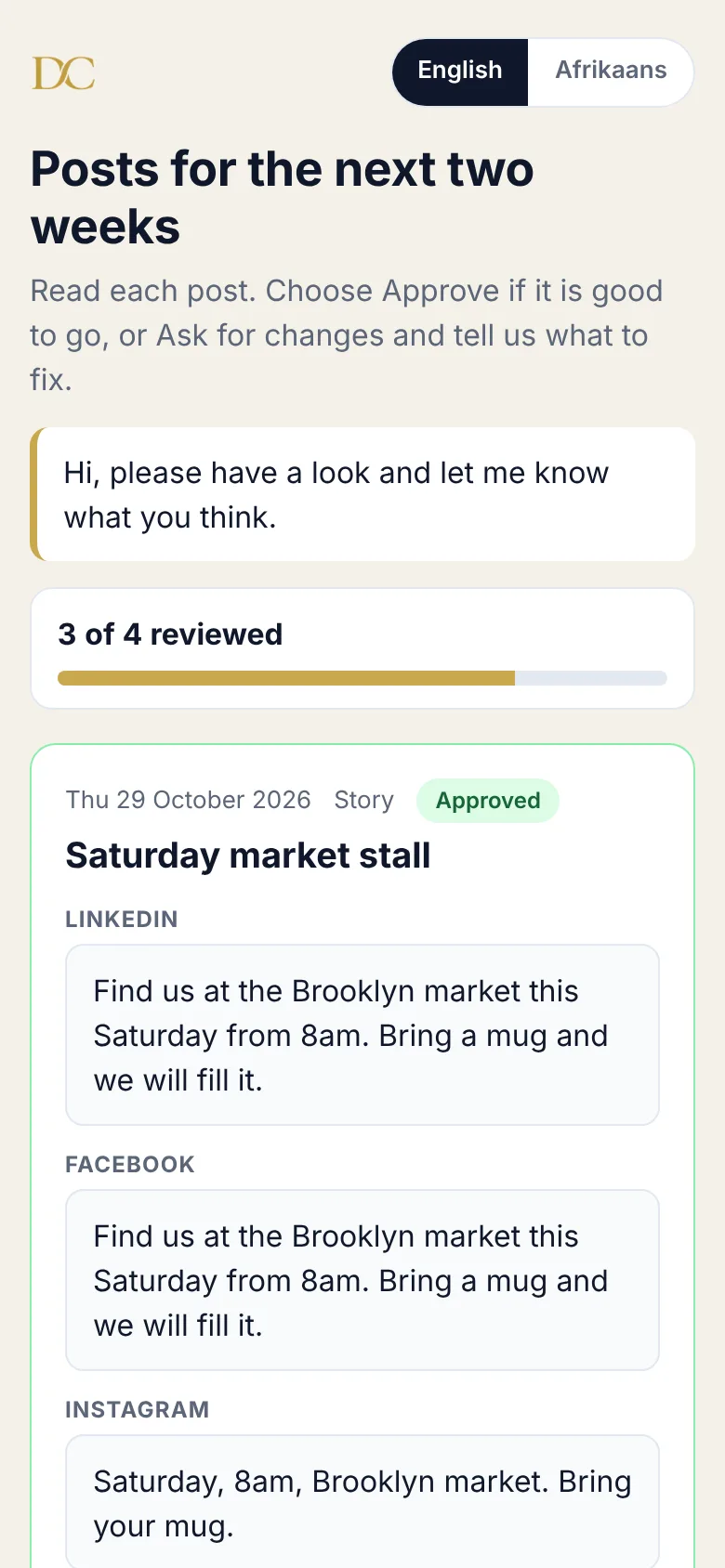
- Client approvalSend one link. Your client approves each post or asks for changes, in English or Afrikaans, with no login.
See it in action
Real screenshots of the app, with sample content for a coffee roaster.
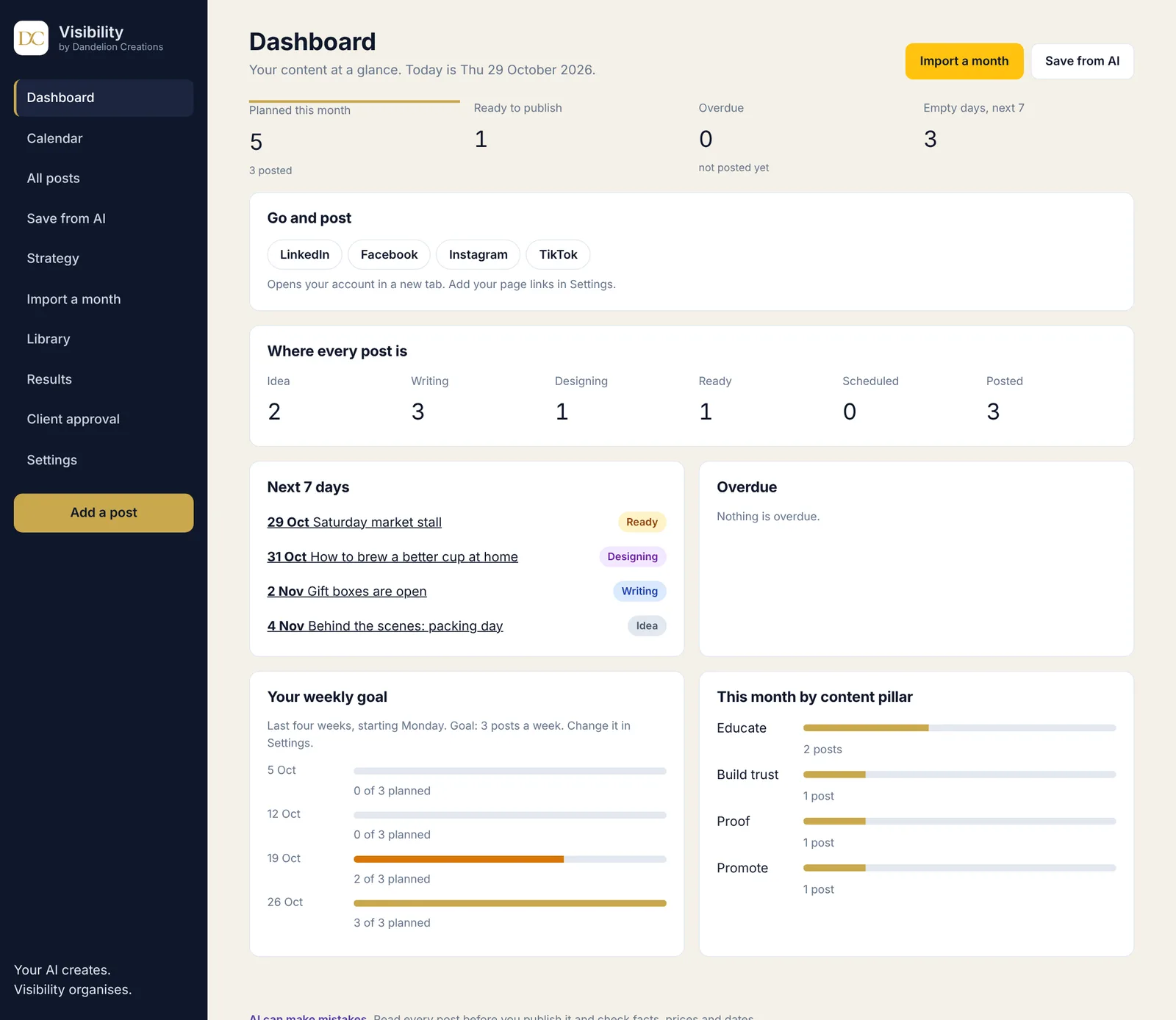
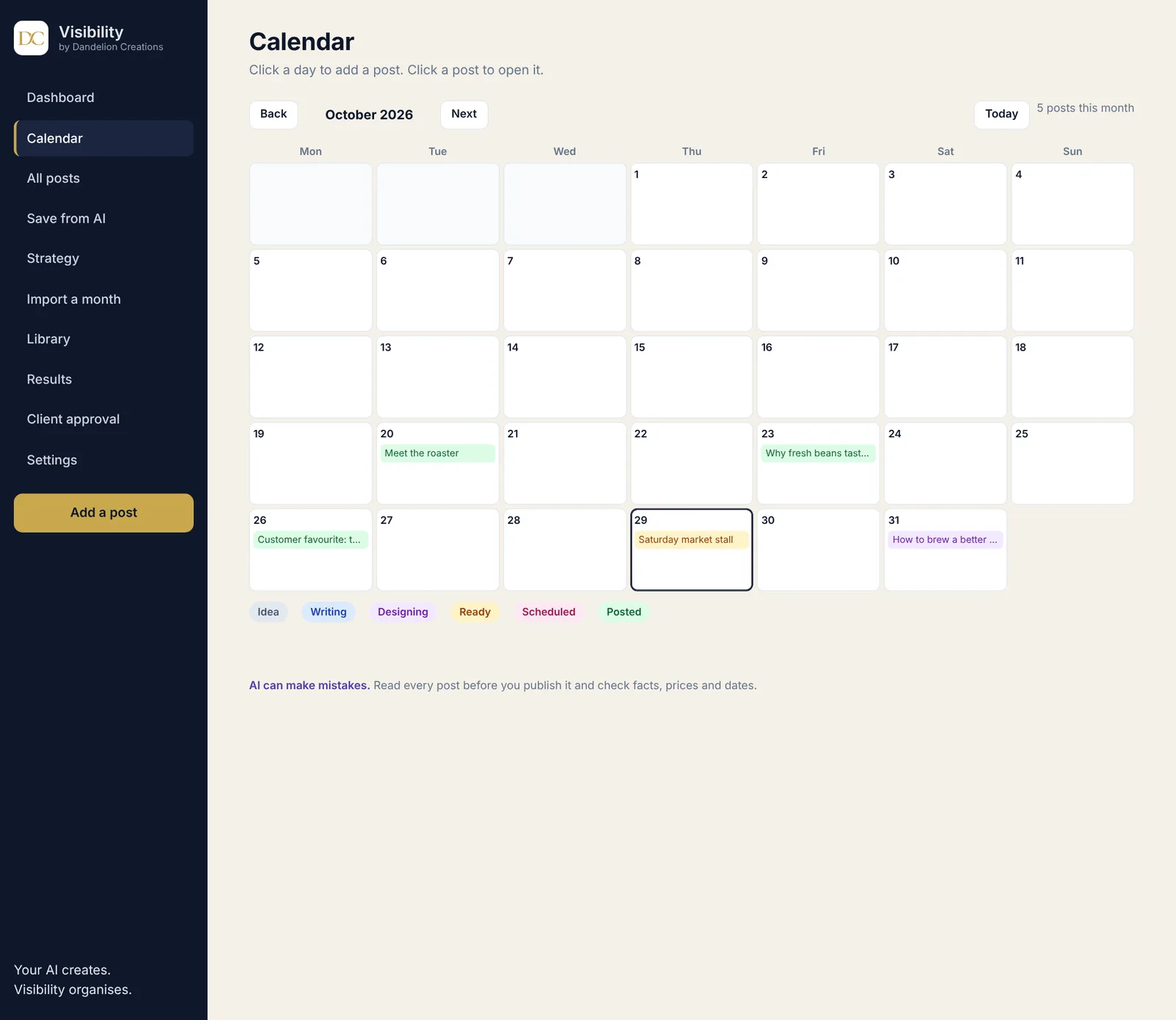
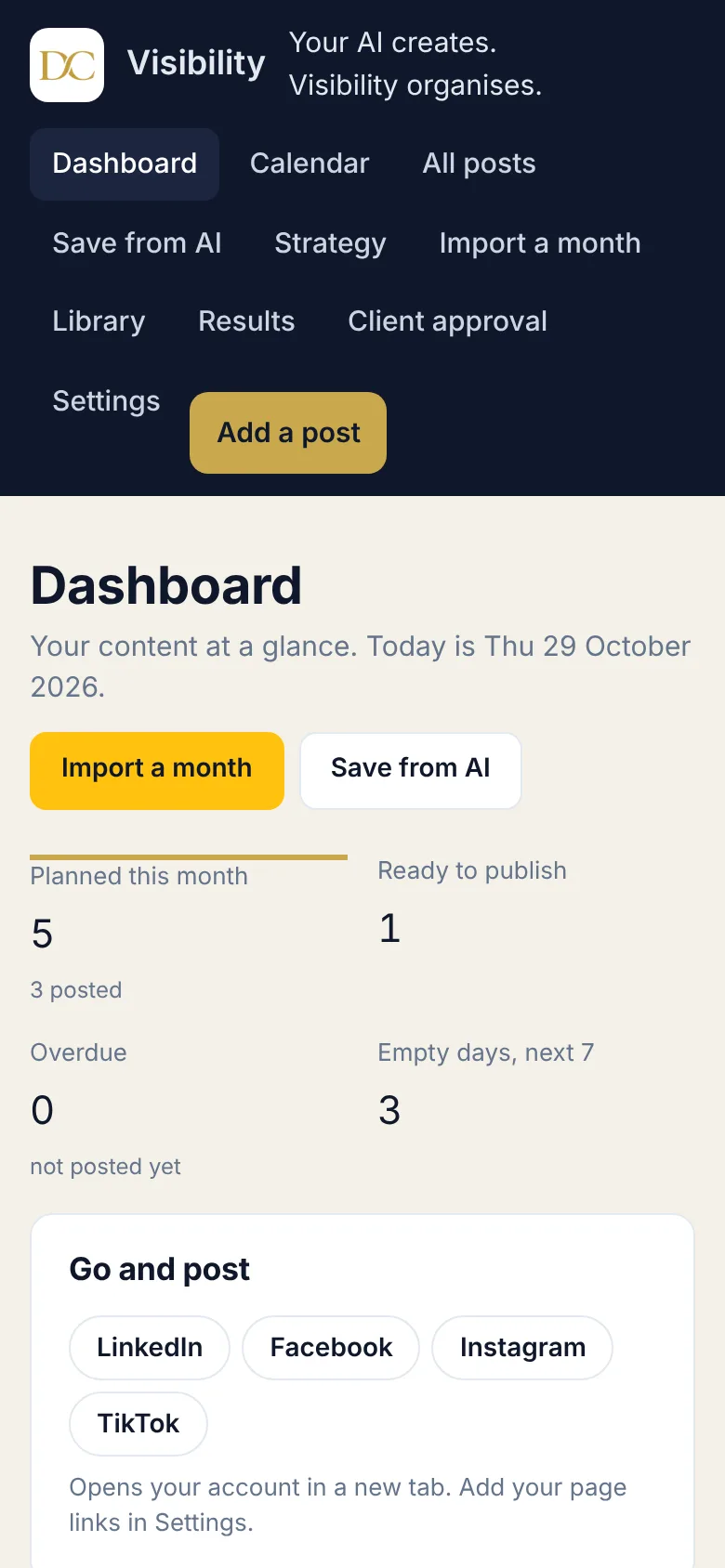
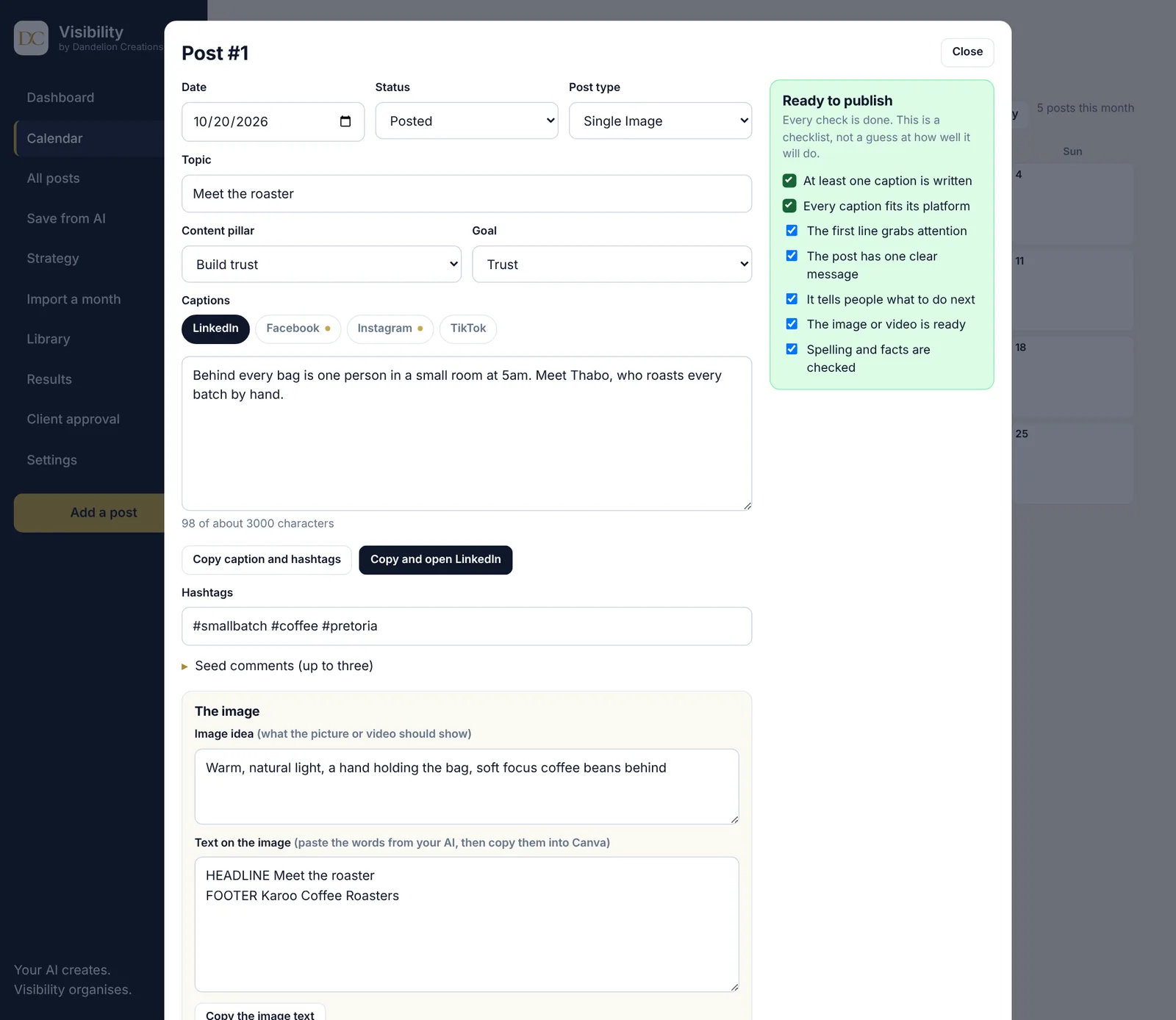
Screens show sample data.
Clients approve from a link
If you post for other people, you know the chase. Send one link instead. Your client reads each post on their phone and taps Approve or Ask for changes. They do not need an account or an app.
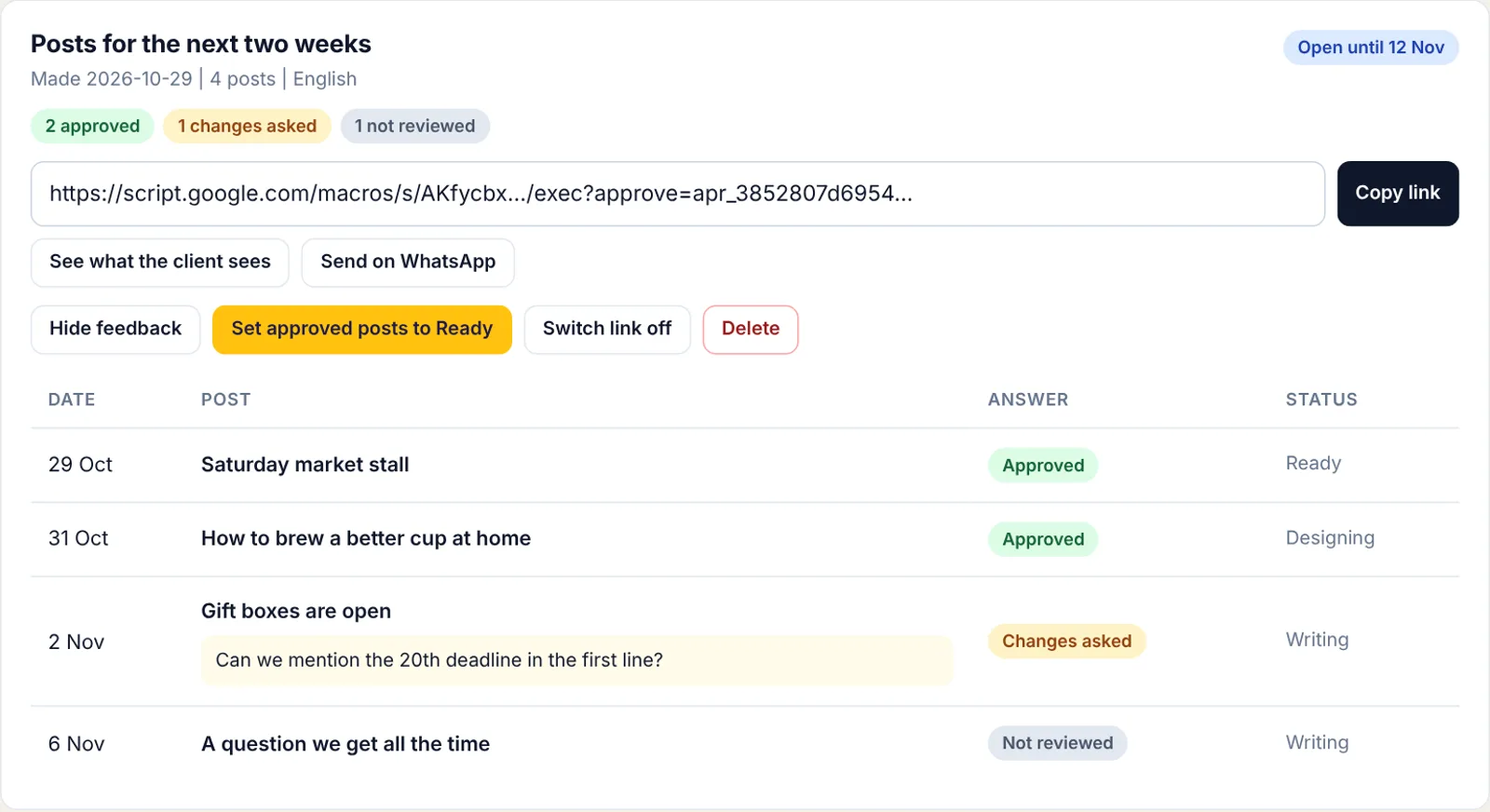
- Answers in one placeSee what was approved, what needs changes and the exact comment, then set approved posts to Ready in one click.
- English or AfrikaansYour client reads it in the language that suits them and can switch at any time.
- Safe by designEach link opens only the posts you chose. It expires after 7, 14 or 30 days and you can switch it off whenever you like.
- Edits are caughtIf you change a post after your client answered, they are asked to look at it again.
Pay once, keep it
No monthly fee, no renewal.
Visibility
- Visibility sheet and activation key
- Step by step deploy guide
- Client approval links included
- Works with any AI you already use
Sending invoices too? PayAbility handles the money side.
Questions
Short answers.
Do I need to know how to code?
No. Deploying is a handful of clicks and the setup guide shows each one with screenshots.
Is there a monthly fee?
No. You pay once. If you use a paid AI plan that is between you and the AI company. The free plans work too.
Does Visibility write my posts?
No. Your AI writes them. Visibility builds the prompts, takes the answers and keeps everything organised so nothing gets lost.
Does it post for me automatically?
No. When a post is ready you tap a button, the caption is copied and your account opens in a new tab. You paste and press post. That keeps you in control of what goes out.
Which platforms does it cover?
LinkedIn, Facebook, Instagram, X, Threads, TikTok, YouTube and Google Business. You choose the ones you use, and you can add your own.
Does my client need a Google account?
No. They open the link on any phone or computer and answer. Nothing to install.
Where is my data stored?
In your own Google Sheet. Your posts, your results and your client answers never pass through us.
Does it work on my phone?
Yes. Open your private link in your phone browser. The calendar, editor and approvals are all made to work on a small screen.
Can I try it first?
Yes. Make your own copy of the demo sheet and start the 72 hour demo with the key CNT-DEMO-2026. It has every feature and can be started once on each sheet.
Know what is going out this week.
Set Visibility up once and keep your content in a system you own.
Get Visibility, R299